Setup#
Podcast hosting and creation setup steps.
- 1
Choose a podcast hosting platform
Entora does not store your podcast data. Instead, you host your podcast on your existing hosting platform. There are some important criteria when choosing a hosting provider for podcasts. Most importantly, to keep your podcast private, you should have the ability to block submission and indexing by iTunes for your podcast.
We recommend Transistor, but Omny Studio and many others are great options.
- 2
Create a podcast
Your podcast should be public and unlisted. Your hosting platform should have support for this.
Create a new entitlement#
Steps to create a new entitlement once setup is complete.
- 1
Create a new Podcast entitlement
Click the "New Podcast Entitlement" button on the entitlements page
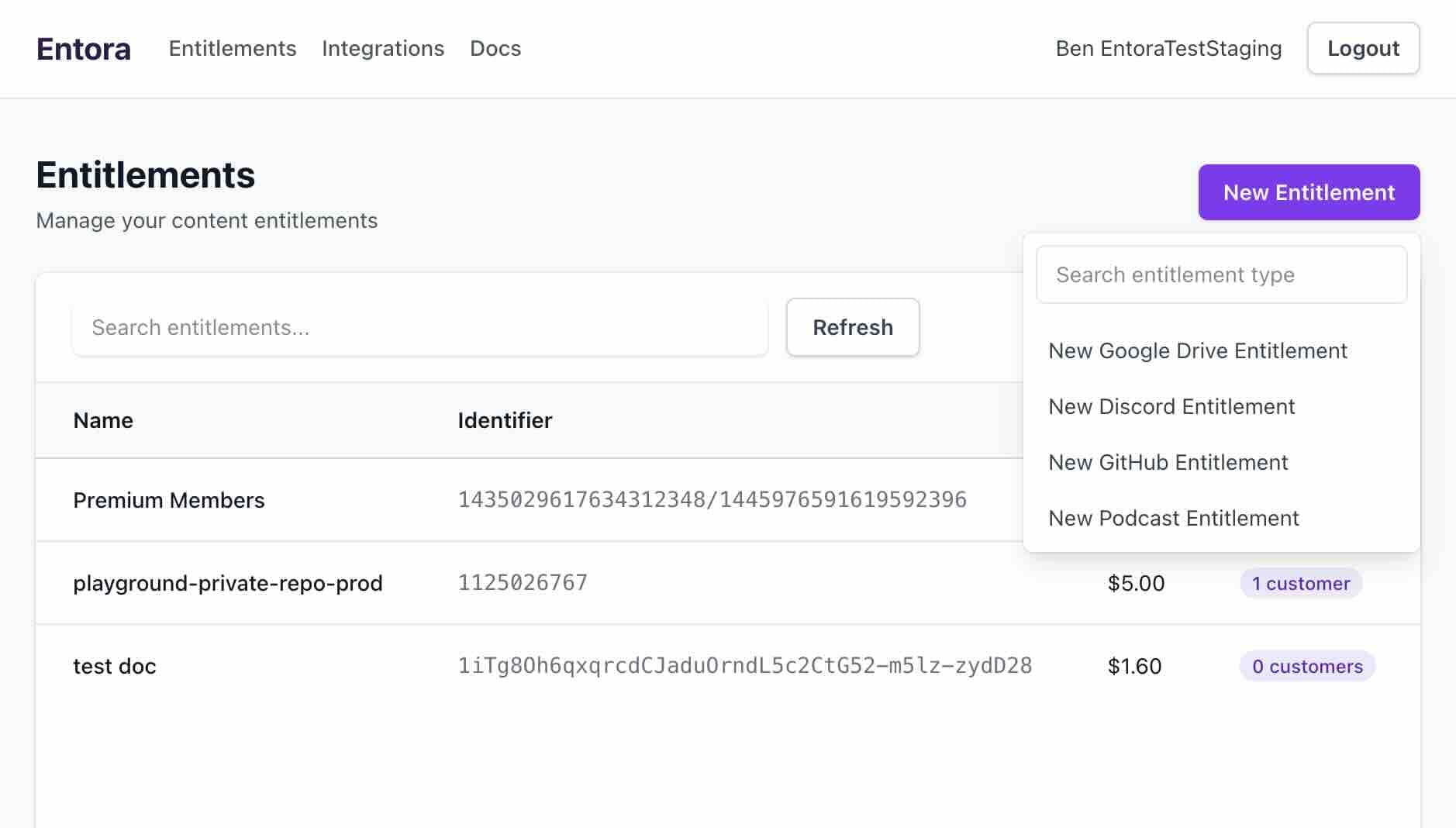
Start a podcast entitlement from the Entitlements page. - 2
Enter entitlement details
Enter the entitlement details. This includes copying the URL of the RSS Feed for your podcast. Your hosting provider should make this readily available. Set a name for the entitlement, a price, access duration, and sale end date. Click "Create" to finish. You will be sent to the page for the new entitlement.
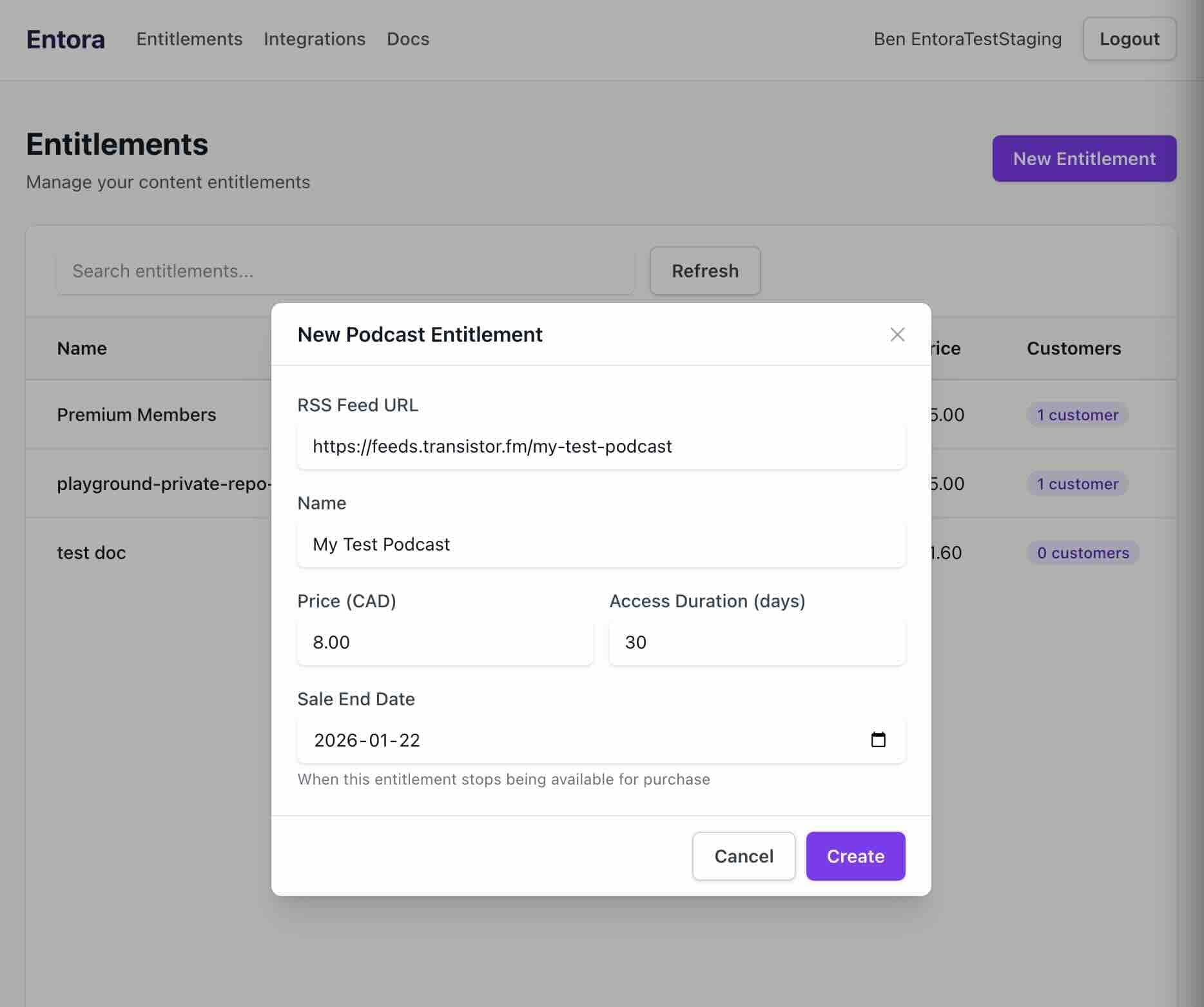
Fill in the podcast entitlement details. - 3
Activate your entitlement
Your entitlement is deactivated by default. Click the Activate button to make it available for purchase.
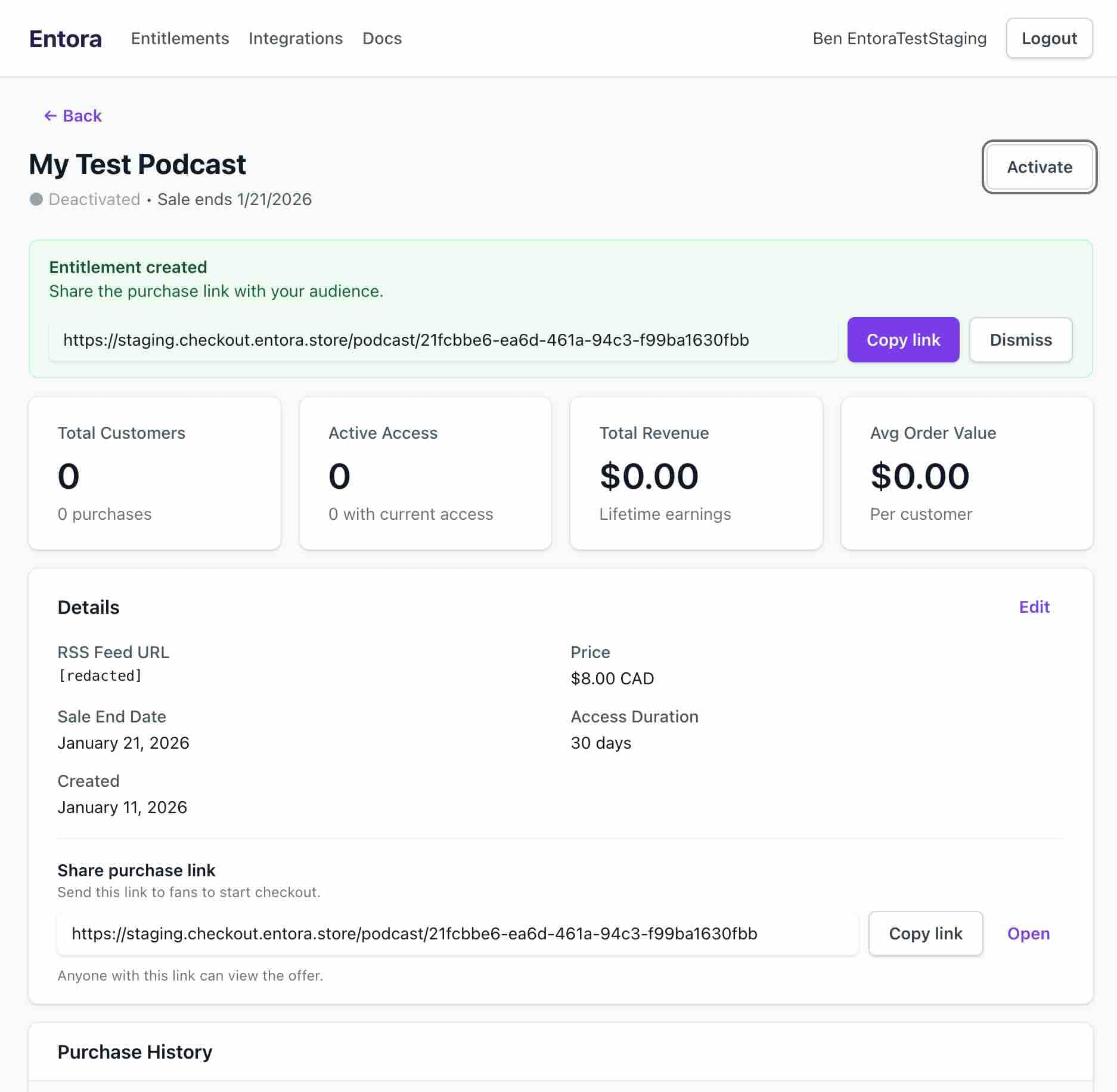
Deactivated state before going live. 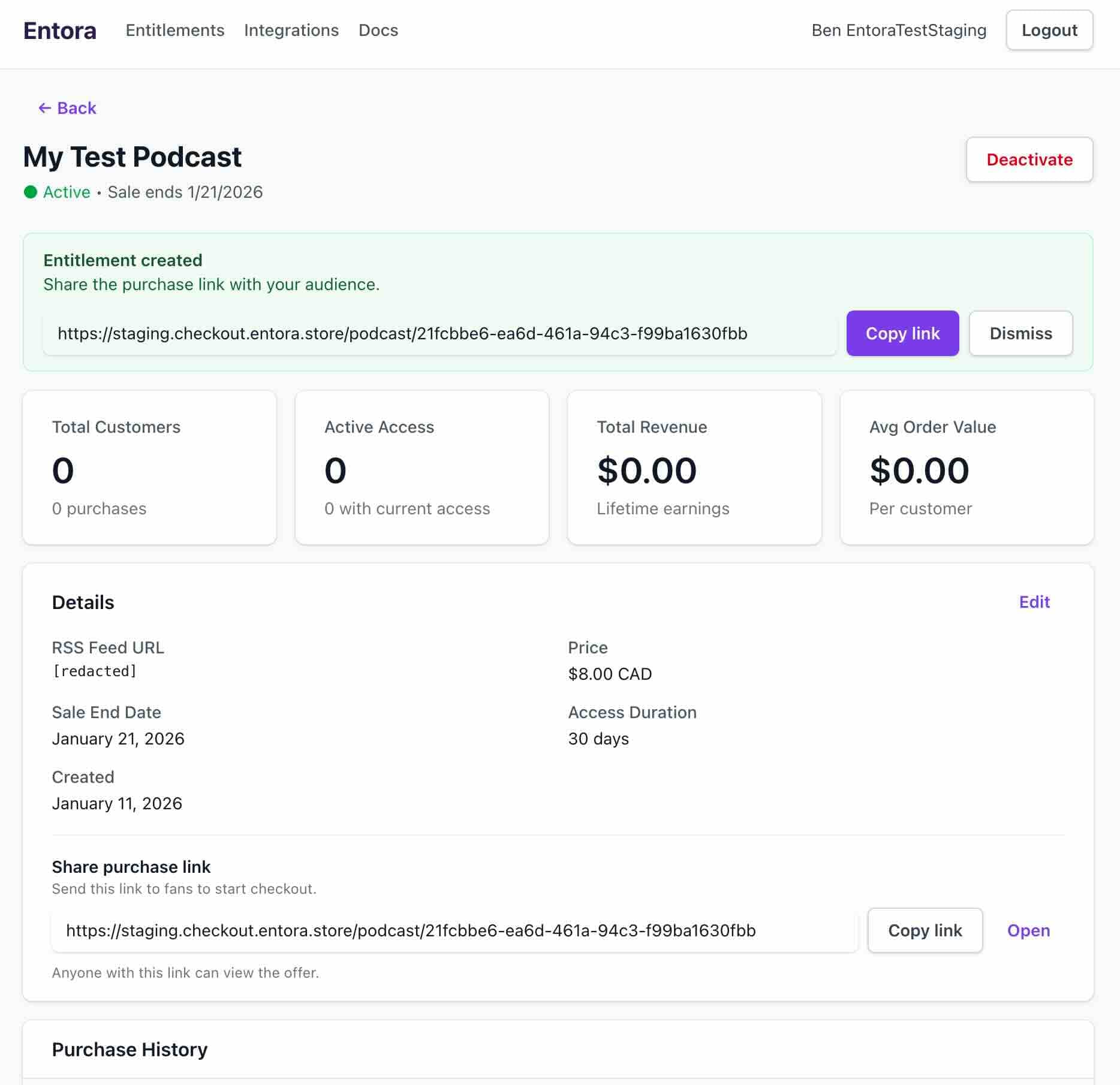
Activated state after toggling on. - 4
Share the purchase link
The entitlement page shows a copyable purchase link in the entitlement details at all times and in a banner at the top of the page after first creation. Share this link with your customers to allow them to visit the purchase page for your podcast entitlement.
Share the active entitlement link with listeners.
Customer flow#
Steps that a customer takes to purchase your entitlement.
- 1
Open the purchase link
Open the purchase link, confirm the details are correct, and enter your email to continue to payment.
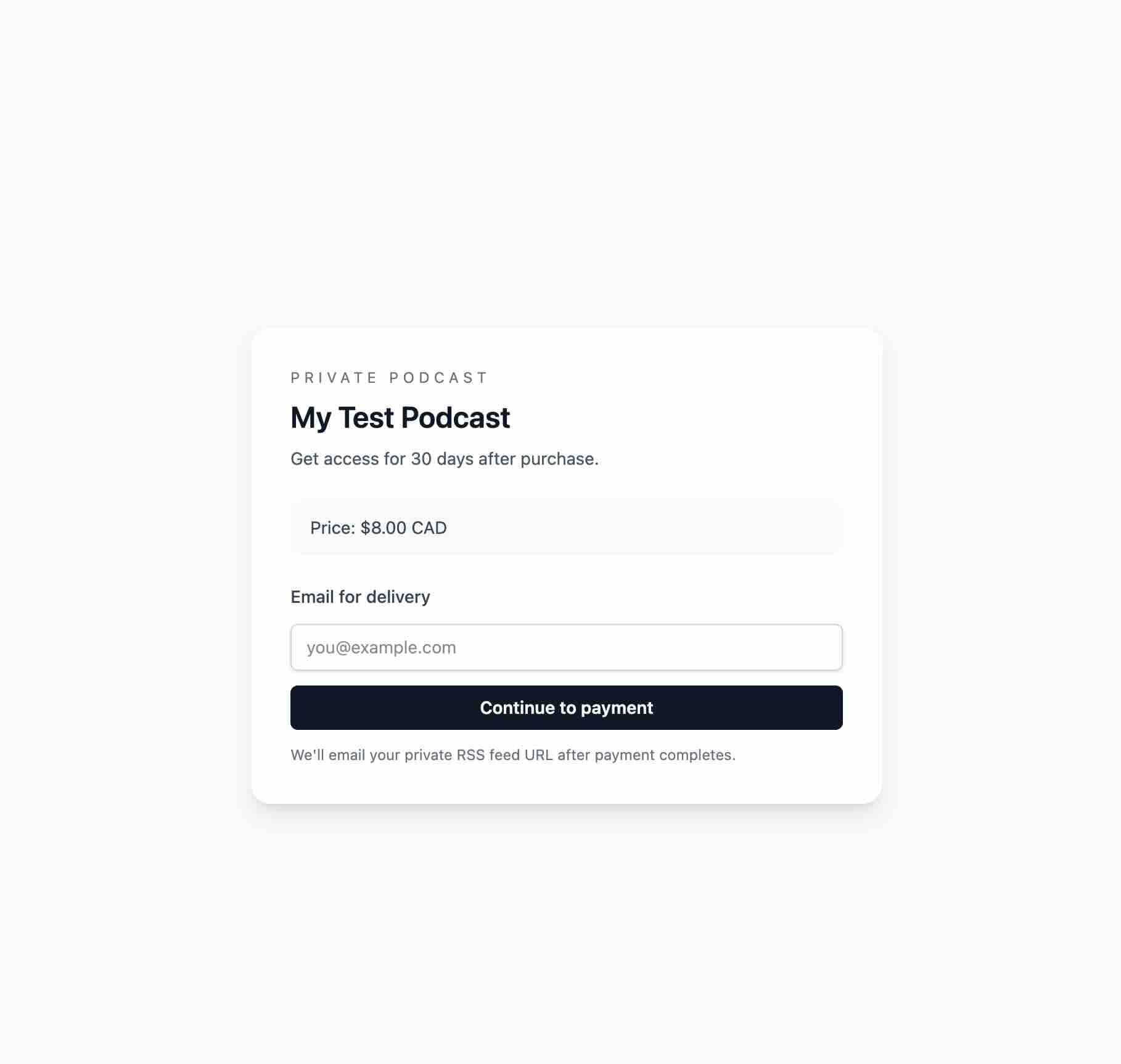
Customers land on the purchase page from the shared link. - 2
Complete checkout
Complete payment through the checkout session page that you are redirected to.
- 3
Check your email for your own unique private feed link
Your own, unique private feed link will be emailed to you. This link MUST NOT be shared.
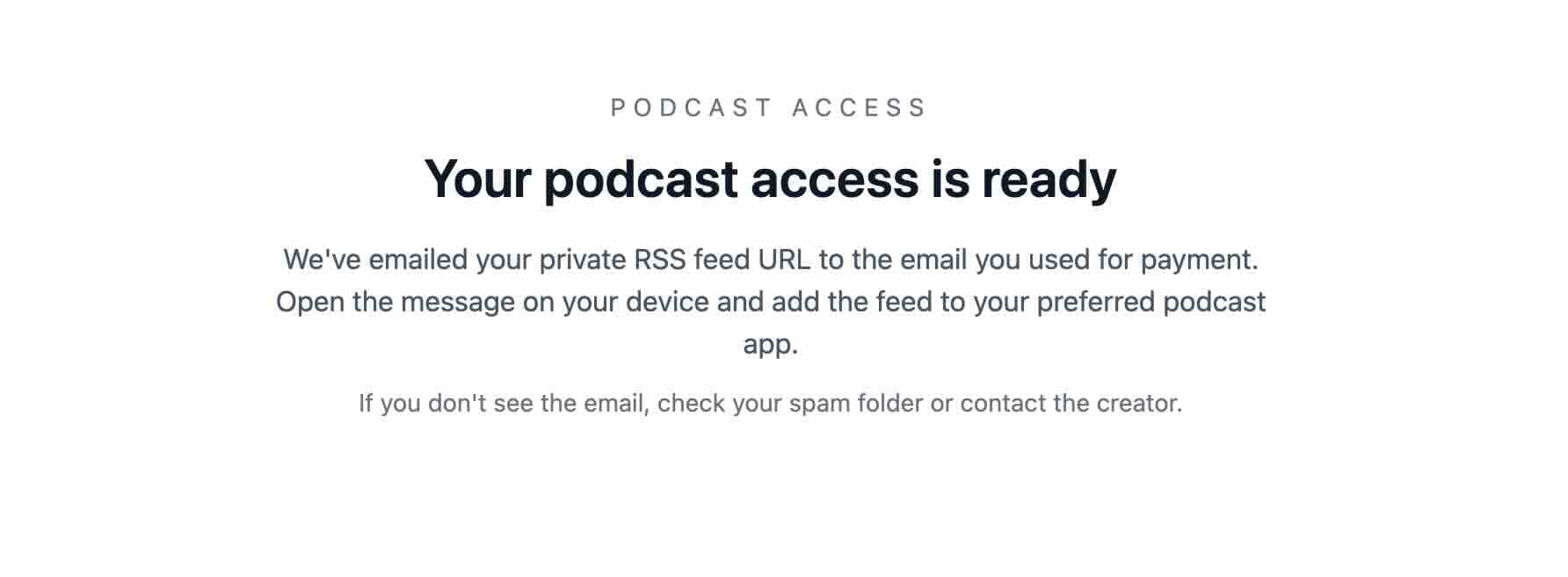
Payment confirmation after checkout. 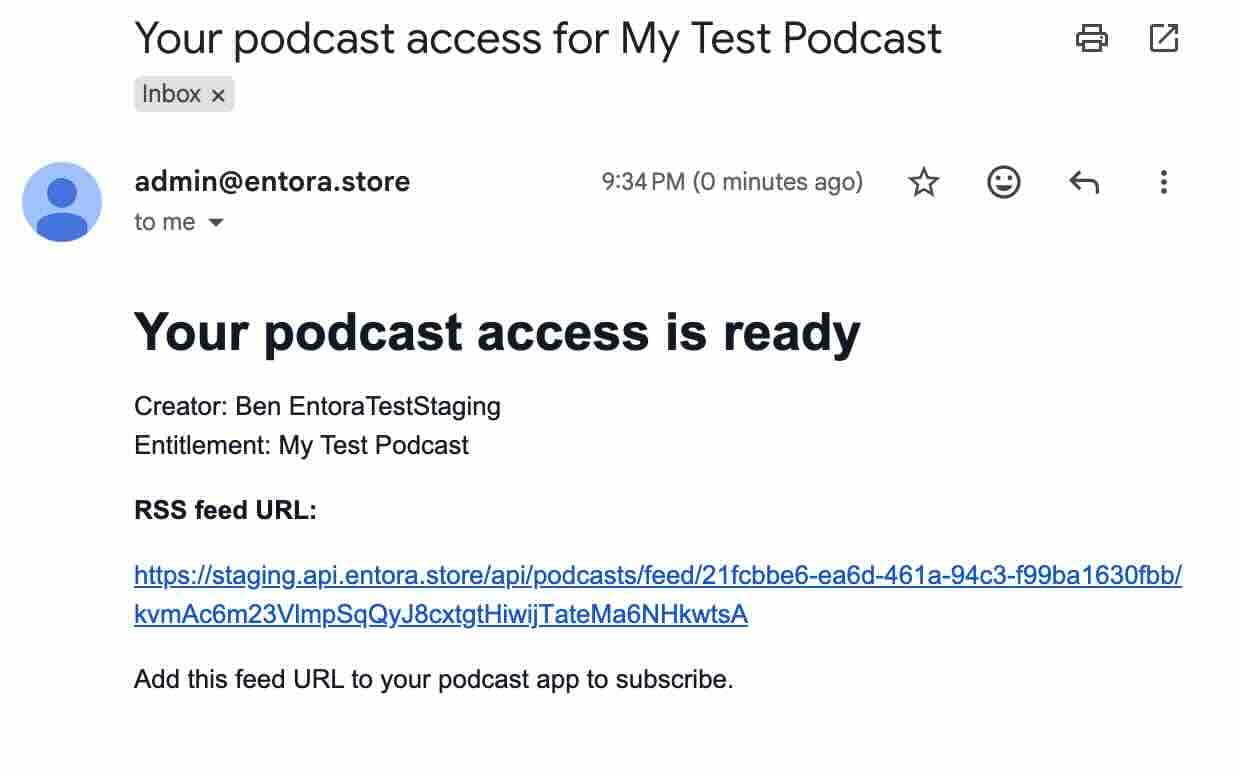
Email delivery of the private RSS feed link. - 4
Subscribe in your podcast app of choice
Subscribe to your private feed in your podcast app of choice such as Apple Podcasts, YouTube Music, or Overcast.
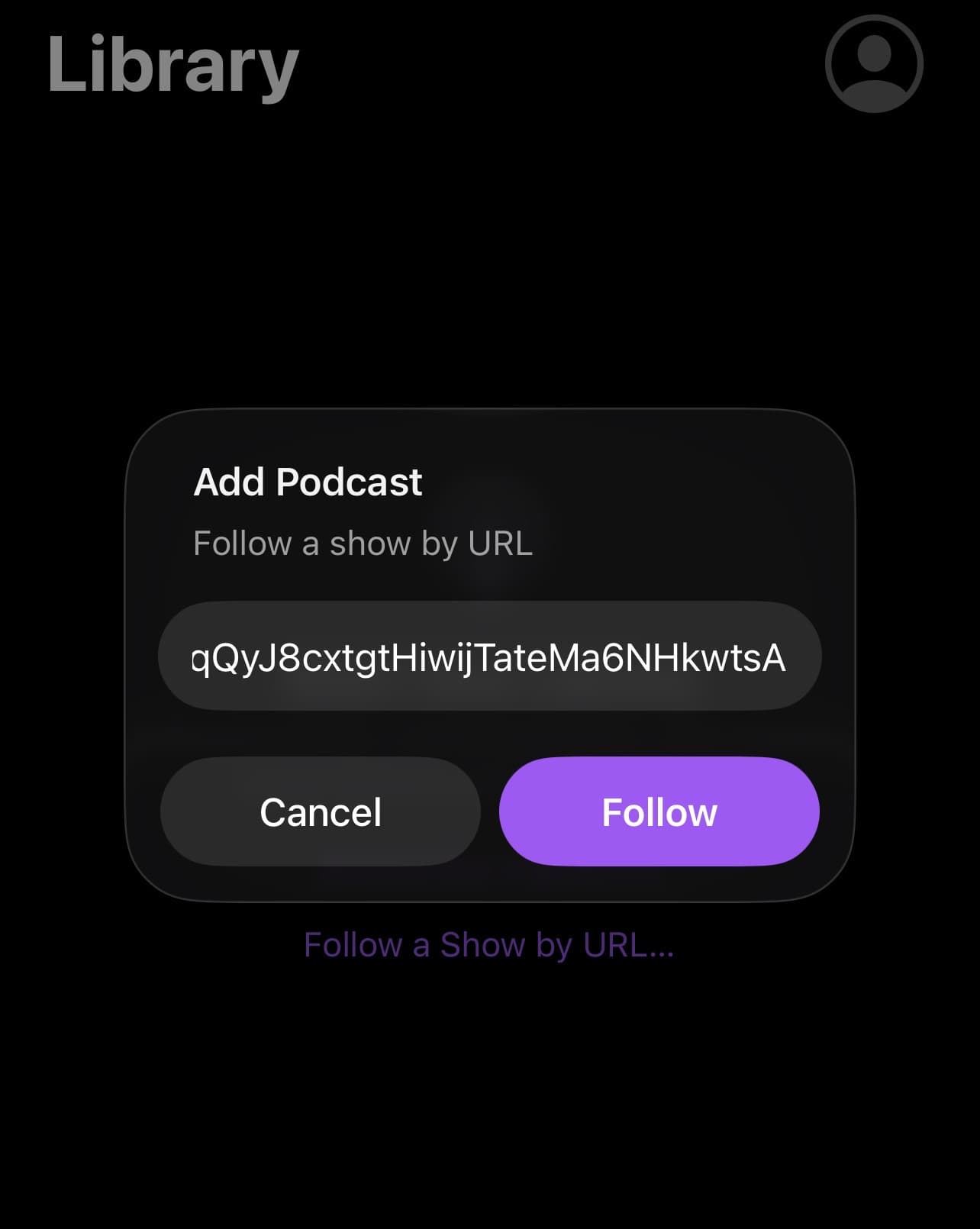
Example flow in Apple Podcasts. - 5
Enjoy
Enjoy listening to the private podcast!
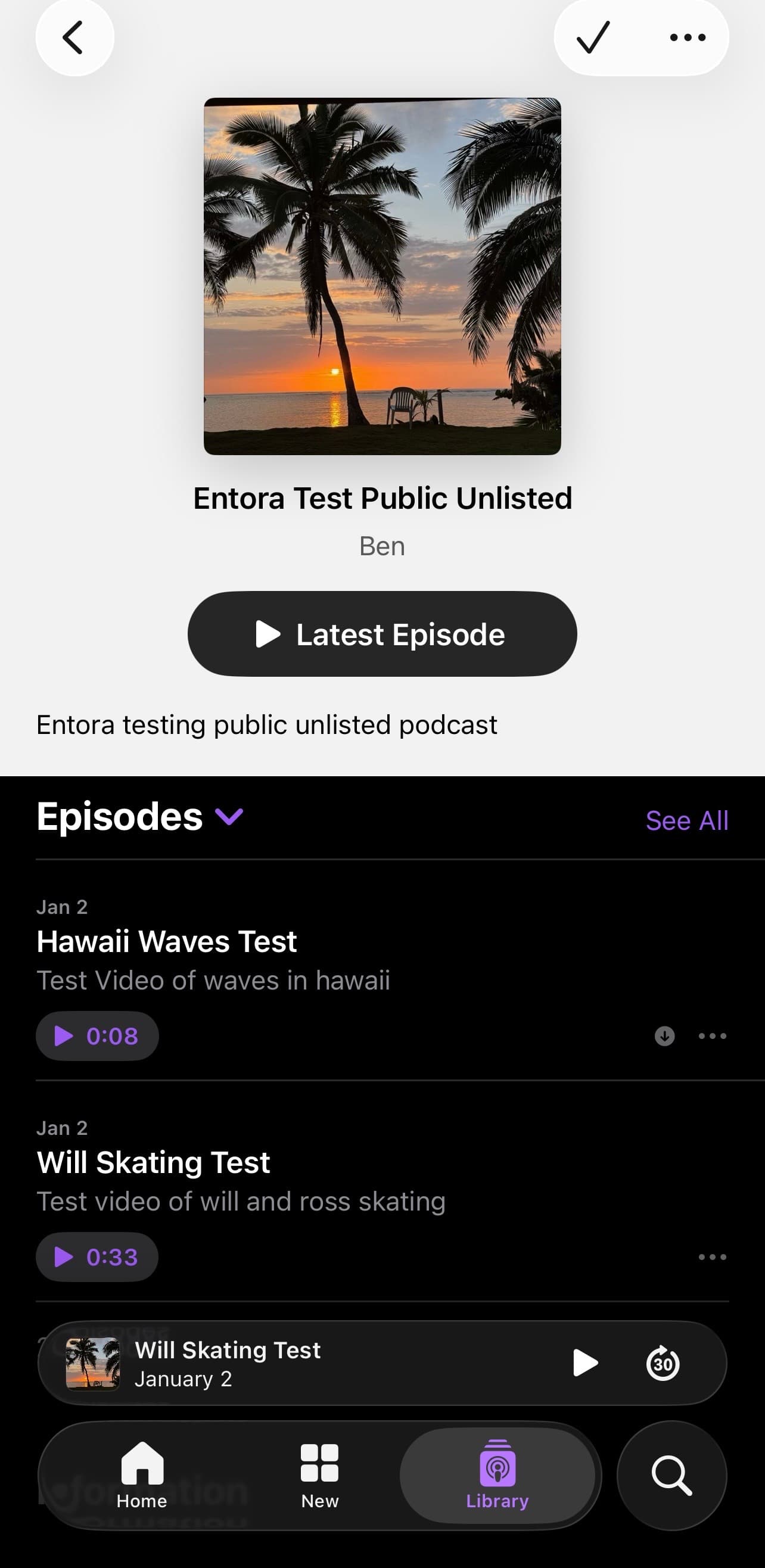
Example playback in Apple Podcasts.